 −0%
−0% Samsung · TVs & Entertainment
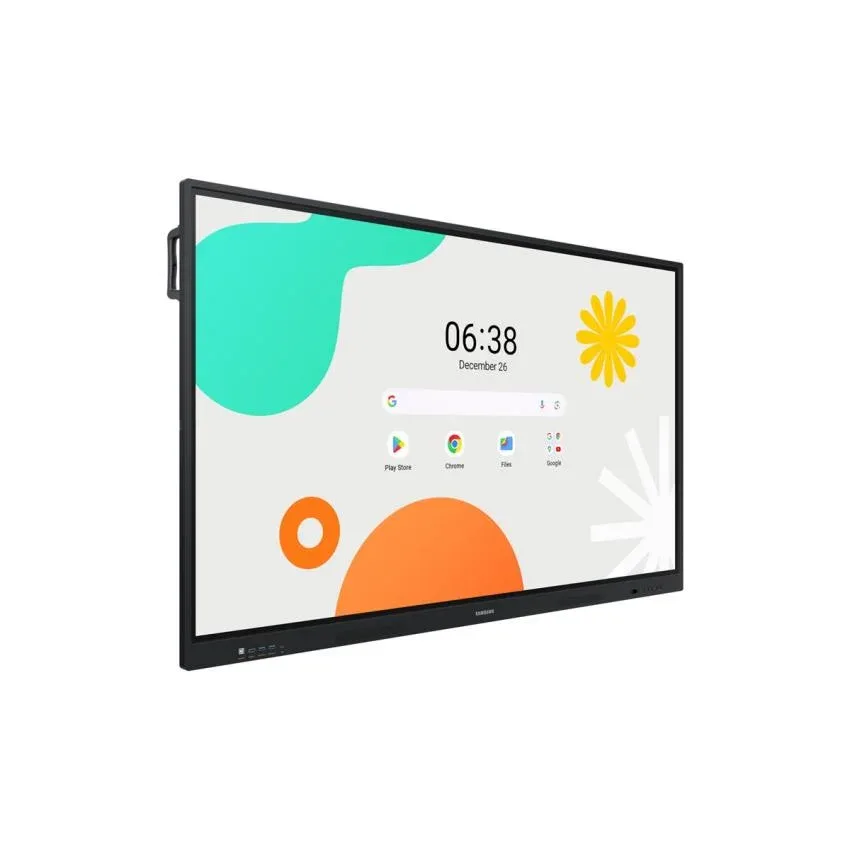
Samsung 75-inch Interactive Display WAF | 4K UHD
KSh 270,000
KSh 0
Save KSh -270,000
Samsung 75-Inch Interactive Display WAF – 4K UHD Smart Interactive Board Upgrade your classroom, meeting room or collaborative workspace with the Samsung 75-inch Interactive Display WAF 4K UHD, a large-format…
In stock, ready to ship
Pairs well with
-
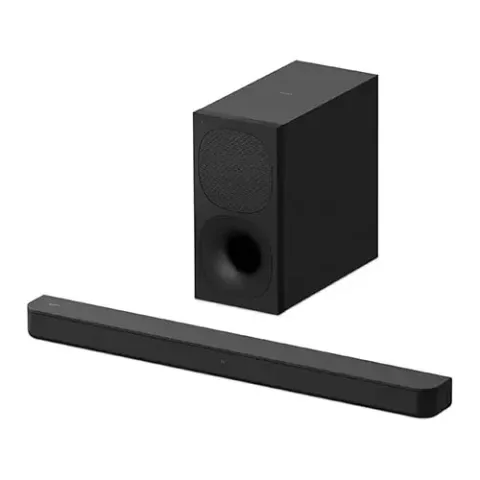
Cinema sound
Sony HT-S400 Soundbar 2.1 Channel
KSh 37,000
KSh 38,000 -
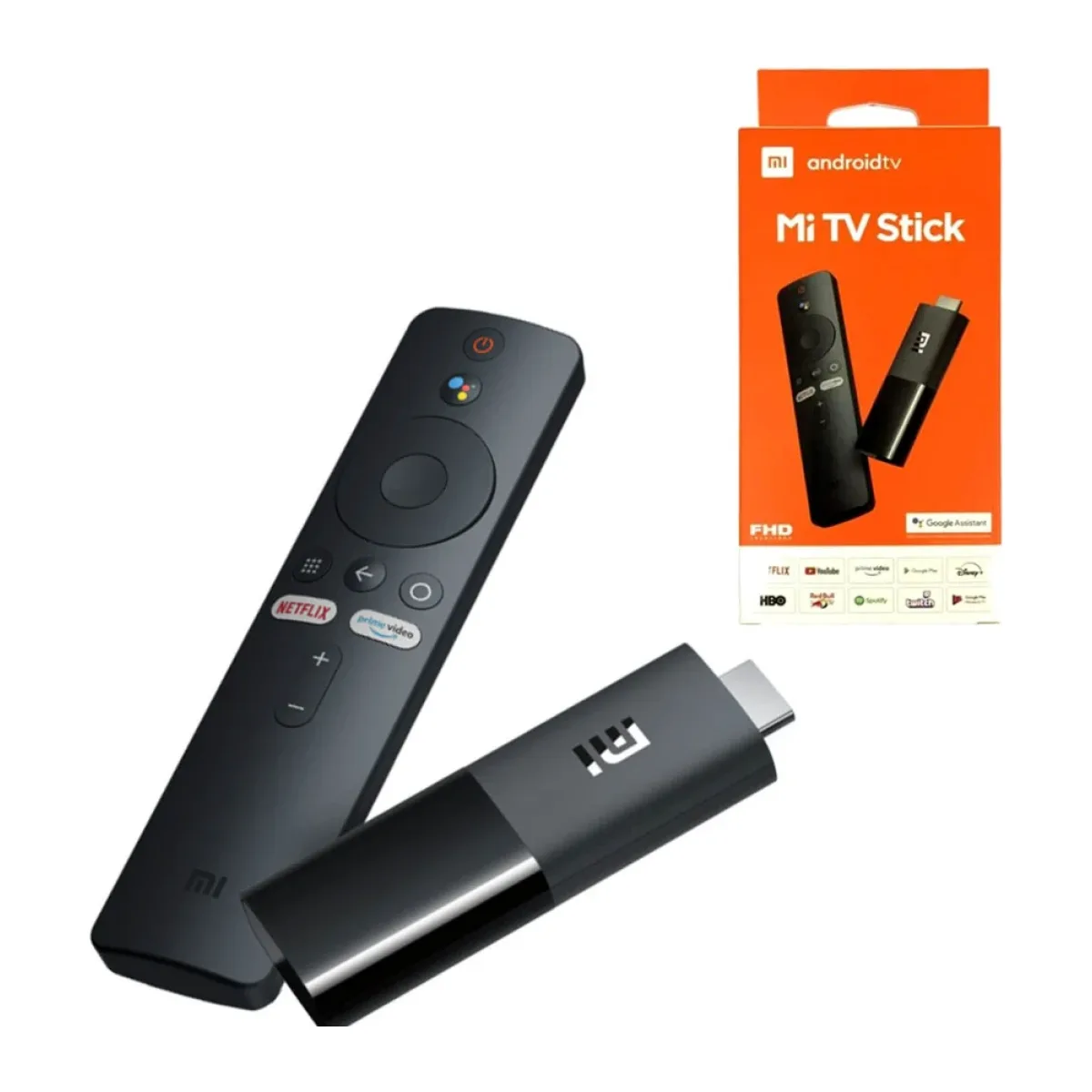
Stream in 4K
Xiaomi TV Stick 4K
KSh 6,999
KSh 7,500 -
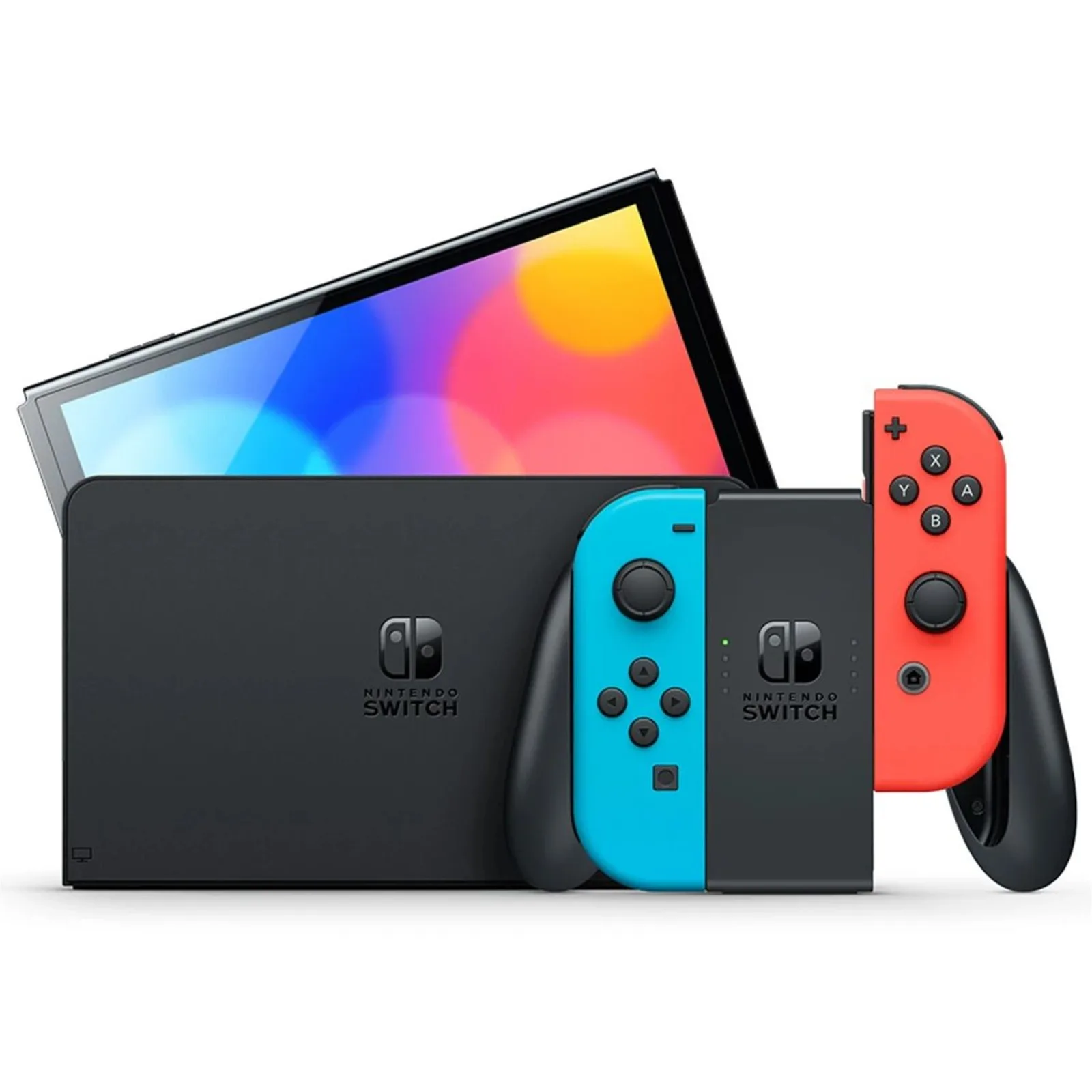
Game on the big screen
Nintendo Switch OLED
KSh 44,999
KSh 54,999
Adding one also adds the Samsung 75-inch Interactive Display WAF | 4K UHD if it isn’t in your bag yet.
- Delivery in 1–3 hours in Nairobi · next day countrywide · KSh 2,000 for this large item · wall mounting KSh 3,500 (optional, bracket not included)
- Lipa na M-Pesa or pay cash on delivery
- Genuine & sealed with official warranty
- 3-day satisfaction guarantee — returns policy
Specifications
Delivery
Delivery in 1–3 hours in Nairobi, next day to the rest of Kenya. TVs and large appliances: KSh 2,000 delivery anywhere in Kenya. Add wall mounting by our technician for KSh 3,500 per TV at checkout (wall bracket not included).
Returns & warranty
Changed your mind? Start a return within 3 days of delivery or pickup, complete and in its original packaging. Items with a manufacturer warranty are repaired or replaced through the manufacturer — we help with the claim. Defective items without a manufacturer warranty can be refunded within 21 days. Physical or liquid damage isn’t covered. Returns & refund policy.
About the Samsung 75-inch Interactive Display WAF | 4K UHD
Samsung 75-Inch Interactive Display WAF – 4K UHD Smart Interactive Board
Upgrade your classroom, meeting room or collaborative workspace with the Samsung 75-inch Interactive Display WAF 4K UHD, a large-format interactive display designed to make teaching, presentations and teamwork more engaging. Combining a high-resolution 4K screen, touch-enabled interaction, an Android-based operating system and integrated audio, this Samsung interactive board gives teams and educators a versatile platform for displaying content, annotating ideas and collaborating on screen.
Whether you are equipping a school, university, corporate boardroom, training centre or business meeting space, the Samsung 75-inch WAF Interactive Display is designed to bring digital content and hands-on interaction together on one expansive screen.
If you are looking for a Samsung 75-inch interactive display in Kenya, this model offers a combination of detailed visuals, built-in interactive tools and connectivity options for modern learning and professional presentations.
Key Features of the Samsung 75-Inch Interactive Display WAF
-
75-inch 4K UHD resolution: A large 3,840 × 2,160-pixel display delivers detailed visuals for presentations, educational content, diagrams, spreadsheets and videos.
-
IPS panel: Designed to provide wide viewing angles, helping people seated across a classroom or meeting room see content clearly.
-
Interactive touch functionality: Infrared touch technology allows users to interact directly with content on the screen using compatible touch gestures and pens.
-
Up to 40-point touch: The WAF series supports multi-touch interaction, allowing multiple users to write, draw or manipulate compatible on-screen content simultaneously.
-
Android 14 operating system: Access the display's Android-based interface and compatible applications without necessarily connecting a separate computer for every task.
-
Google EDLA certification: The certified platform is designed to support Google services, including Google Play, subject to regional availability and the device's configuration.
-
Built-in 30W stereo speakers: Integrated 15W × 2-channel speakers provide sound for lessons, presentations and multimedia content.
-
Wireless connectivity: Embedded Wi-Fi 5 and Bluetooth support compatible wireless networking and peripheral connections.
-
HDMI and USB connectivity: Connect compatible laptops, computers and other external devices for presentations, video playback and interactive workflows.
-
Screen-sharing capabilities: Share compatible content from supported devices to facilitate presentations and collaboration.
-
OPS expansion support: An OPS slot supports compatible optional computing modules for installations requiring a dedicated PC-based environment.
-
Commercial display design: A black bezel, aluminium frame and VESA mounting support suit professional installations.
Large 75-Inch 4K UHD Display for Presentations and Learning
The Samsung WAF's 75-inch screen provides generous viewing space for lessons, presentations, training materials and collaborative work. Its 4K UHD resolution of 3,840 × 2,160 pixels produces four times the pixel count of Full HD, helping text, diagrams, charts and high-resolution images appear detailed when the source content supports that resolution.
In a classroom, teachers can display learning materials, annotate diagrams and highlight important concepts for students. In a corporate environment, teams can review reports, display presentations, examine designs and discuss complex information together.
The large screen is particularly useful where a conventional monitor would be too small for a group to view comfortably. For best results, choose an installation position and room layout that allow participants to see the content clearly.
IPS Panel with Wide Viewing Angles
The display uses an IPS panel and has a stated horizontal and vertical viewing angle of 178°/178°. This supports viewing from different positions around a room, which is useful for group instruction, workshops and meetings.
The panel's typical brightness is rated at 400 nits, with a typical contrast ratio of 1,200:1. These specifications are suited to many indoor learning and business environments. For very bright rooms with direct sunlight, consider the room's lighting and screen placement before installation.
Smooth Visual Response
Samsung lists an 8 ms response time and a 60 Hz panel refresh rate. These specifications support everyday presentation use, interactive lessons, video playback and touch-based collaboration. The display is intended primarily for interactive business and education applications rather than high-refresh-rate gaming.
Interactive Touch Technology for Hands-On Collaboration
A major advantage of the Samsung 75-inch WAF is its interactive touch functionality. Instead of limiting interaction to a presenter operating a laptop, users can work directly on the large screen using compatible touch input and writing tools.
The WAF series supports up to 40 touch points, making it suitable for collaborative activities where several users need to interact with the screen. Teachers can invite students to solve problems, annotate diagrams or contribute to group exercises. Meeting participants can highlight details, mark up presentations and develop ideas together.
The infrared touch system is designed to detect touch input across the display surface. Touch response and drawing performance depend on the supported input method, application, configuration and number of simultaneous users.
Digital Annotation and Writing
Interactive annotation can help make meetings and lessons more dynamic. Users can mark up displayed content, write notes, illustrate concepts and highlight important information while keeping the original material visible.
For example, a teacher can explain a mathematical equation step by step, while a project team can annotate a design during a review session. These workflows can reduce the need to switch between a presentation and a separate physical whiteboard.
Available annotation functions depend on the software and system configuration. Check which applications and tools are enabled on the exact unit before purchasing for a specialised workflow.
Android 14 and Google EDLA Certification
The Samsung WAF Interactive Display runs Android 14 and is listed as Google EDLA-certified. This provides an Android-based user environment designed to support compatible Google services and applications.
Depending on regional configuration and service availability, users can work with supported apps for browsing, displaying content, collaboration and productivity. Google EDLA certification is especially relevant for institutions that need a more integrated Android experience than a display with only basic casting functionality.
A built-in operating system can simplify everyday use by allowing users to access compatible applications directly on the display. It can also reduce reliance on a connected computer for routine tasks, although certain desktop software and specialised applications may still require an external PC or compatible OPS module.
Regional compatibility note: Confirm Google Play availability, account sign-in, app support, software update policies and any organisation-specific restrictions on the particular model being supplied.
Wireless Screen Sharing and Device Connectivity
The Samsung WAF is designed to support connected workflows in education and business. Wireless networking and screen-sharing capabilities can make it easier to present content from compatible devices without requiring a cable for every presentation.
This can be useful for teachers sharing lesson materials, students presenting group work or colleagues reviewing information during a meeting. Actual screen-sharing options depend on the display's software, the sender's operating system and network configuration.
For a more reliable presentation environment, administrators should ensure that the display and connected devices are configured for the organisation's network and security policies.
HDMI, USB and Professional Connectivity
The display includes connectivity options for external devices and compatible installation equipment. Samsung's specifications list two HDMI inputs, four USB ports, stereo mini-jack audio input and output, video output, RS-232 control and RJ45 Ethernet connectivity.
This variety of connections helps support different classroom and boardroom setups. A laptop can supply presentation content through HDMI, while USB can support compatible peripherals. Network and serial connections can be useful in managed commercial installations.
Port availability, position and supported functions should be confirmed against the exact regional model and its technical documentation before designing an installation.
Built-In Stereo Speakers for Lessons and Meetings
The Samsung WAF series features built-in stereo speakers rated at 15 watts per channel, for a total rated output of 30 watts. Integrated audio allows users to play compatible video lessons, presentation audio and other multimedia content without necessarily adding separate speakers.
Built-in speakers are convenient for everyday classroom and meeting-room use. In large rooms, acoustically challenging spaces or installations requiring higher sound output, external audio equipment may still be appropriate.
OPS Slot for Optional Computing Expansion
The WAF includes support for an Open Pluggable Specification (OPS) module. OPS is a standardised approach to integrating a compatible computing module into a professional display installation.
An optional OPS PC can be useful for organisations that require a Windows-based workflow, specialised desktop software or a dedicated computer integrated into the display. The OPS module is an expansion option and should not be assumed to be included with the display.
Before ordering an OPS module, confirm compatibility, operating-system requirements and the intended software workload.
Designed for Classrooms, Boardrooms and Training Spaces
The Samsung 75-inch Interactive Display WAF can be considered for a range of professional environments:
Schools, colleges and universities
Display lesson content, annotate diagrams, explain concepts visually and encourage collaborative learning activities on a large touch-enabled screen.
Corporate offices and boardrooms
Present reports, discuss project plans, review designs and make meeting content more interactive through direct screen annotation.
Training centres
Use the display to present course materials, demonstrate procedures and encourage participants to interact with training content.
Government and institutional environments
Integrate the display into compatible presentation and collaboration setups, subject to organisational procurement, security and IT requirements.
Conference and collaboration rooms
Provide a central screen for presentations, shared content and group discussion, with connectivity options for compatible devices.
Installation and Mounting
The 75-inch model has listed dimensions of approximately 1,716.5 × 1,031.9 × 87.7 mm and a set weight of approximately 49.2 kg. Its listed VESA mounting pattern is 800 × 400 mm.
Because this is a large, heavy professional display, installation should be planned carefully. Use a compatible wall mount or suitable stand rated for the display's weight and dimensions. Confirm wall construction, mounting hardware, cable access, power availability and safe installation procedures before use.
The display's listed operating conditions are 0°C to 40°C and 10%–80% relative humidity, non-condensing. It is designed for suitable indoor operating environments, not for exposure to rain or uncontrolled outdoor conditions.
Buy the Samsung 75-Inch Interactive Display WAF in Kenya
Bring interactive digital learning and collaboration into your organisation with the Samsung 75-inch Interactive Display WAF 4K UHD. With a large 4K screen, touch-enabled interaction, Android-based applications, built-in stereo speakers and professional connectivity, it is designed to support engaging presentations and group work.
If you are sourcing an interactive display for a school, university, office or training facility, contact FancyTech Online Shopping to confirm the current price in Kenya, availability, exact model code, warranty coverage, installation requirements and delivery options.
Choose the Samsung 75-inch WAF Interactive Display for a more collaborative way to teach, present and work together.
|
Specification |
Samsung WAF 75-inch |
|---|---|
|
Brand |
Samsung |
|
Series |
WAF Interactive Display |
|
Model / SKU |
LH75WAFWLGCXZA (US variant) |
|
Screen size |
75 inches |
|
Display type |
IPS |
|
Resolution |
3,840 × 2,160 pixels (4K UHD) |
|
Refresh rate |
60 Hz |
|
Typical brightness |
400 nits |
|
Typical contrast ratio |
1,200:1 |
|
Dynamic contrast ratio |
4,000:1 |
|
Viewing angle |
178° horizontal / 178° vertical |
|
Response time |
8 ms |
|
Colour gamut |
72% |
|
Glass haze |
25% |
|
Touch technology |
Infrared (IR) |
|
Multi-touch |
Up to 40 touch points, WAF series |
|
Operating system |
Android 14 |
|
Google certification |
EDLA-certified platform |
|
Internal flash storage |
64 GB, per series documentation |
|
Processor |
Octa-core, per series documentation |
|
Built-in speakers |
15 W × 2 channels |
|
HDMI inputs |
2 |
|
USB ports |
4 |
|
Audio input |
Stereo mini jack |
|
Audio output |
Stereo mini jack |
|
Video output |
Yes |
|
Ethernet |
RJ45 |
|
Serial control |
RS-232 input |
|
Wireless networking |
Wi-Fi 5 (802.11ac) |
|
Bluetooth |
Yes |
|
OPS expansion |
Supported |
|
Set dimensions (W × H × D) |
Approx. 1,716.5 × 1,031.9 × 87.7 mm |
|
Set weight |
Approx. 49.2 kg |
|
VESA mounting |
800 × 400 mm |
|
Frame material |
Aluminium |
|
Bezel colour |
Black |
|
Power supply |
AC 100–240 V, 50/60 Hz |
|
Listed maximum power consumption |
450 W |
|
Listed sleep power consumption |
0.5 W |
|
Operating temperature |
0°C to 40°C |
|
Operating humidity |
10%–80%, non-condensing |
Customer reviews
No reviews yet. Bought the Samsung 75-inch Interactive Display WAF | 4K UHD from us? Be the first to share what you think.
Write a review
Samsung 75-inch Interactive Display WAF | 4K UHD price in Kenya
The Samsung 75-inch Interactive Display WAF | 4K UHD is available at FancyTech in 65 inch and 75 inch, from KSh 270,000 (brand new), with delivery in 1–3 hours in Nairobi and next day anywhere in Kenya. Prices updated October 2026.
| Option | Condition | Price | Availability |
|---|---|---|---|
| 65 inch | Brand New | KSh 270,000 | In stock |
| 75 inch | Brand New | KSh 280,000 | In stock |